Appearance
Dances & emotes
Show off on the casino floor. Emotes are quick dance animations your character plays for everyone nearby to see - celebrate a big win, greet a friend, or just flex.
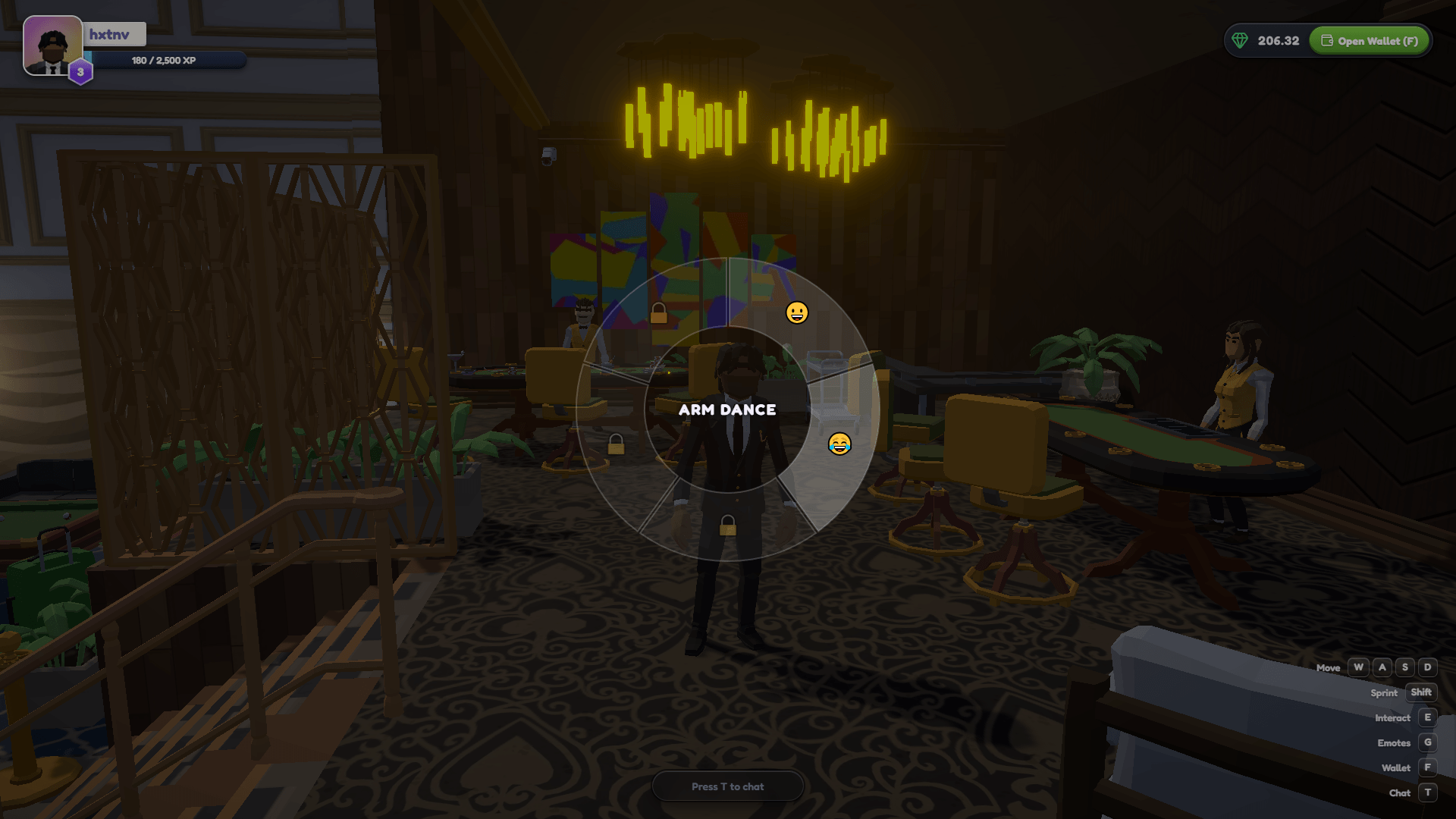
Playing a dance
While you're in the game:
- Hold
Gto open the emote wheel (your cursor is freed). - Move onto the dance you want - its name shows in the middle.
- Release
Gto play it.
Everyone around you sees the dance on your character. It plays for its full length, then you're back to normal - and moving cancels it instantly, so you never get stuck dancing.
Controls
The emote wheel is on G - you'll see it in the on-screen controls list at the bottom-left, next to move, chat, and wallet.
Free & unlockable
Everyone starts with one free dance. The rest are unlocked with $SPINS - the same way as characters.
To unlock a dance:
- Open the Dances shop from the main menu (the party-popper button, top-right).
- Make sure you have enough $SPINS in your wallet.
- Press Buy on a locked dance and approve the transaction - it burns the price in $SPINS (see tokenomics).
- It unlocks instantly and is yours for good, on any device.
Locked dances show a 🔒 on the wheel until you own them, with a nudge to the shop.
Cosmetic only
Dances are purely for fun and self-expression - they never change your odds, bets, or payouts.
See also
- Characters - unlock skins to play as.
- $SPINS & tokenomics - what the token is and why buying burns it.